




Introduction
Nowadays, Records Management Software is so much more than a file system. Now it’s a critical part of how organizations manage compliance, facilitate collaboration, and make strategic decisions. The initially simple software that would organize your files became, over time, a smart, governed platform for all the moments along the document lifecycle.
As we peer into 2025 and beyond, this transformation will persist. And as the volume of records rises, regulations tighten and remote teams become more widespread, businesses are reassessing how they handle both their physical and electronic records. Software CM has evolved and now includes automation, AI, real-time access, hybrid management of physical and digital formats.
Let’s take a closer look at what that shift means and what capabilities modern businesses should seek in record management tools in the coming year.
A Historical Glimpse: The Age of Paper and Initial Software
To understand where records management software is going in 2025, we need a brief look in the rearview mirror to see where it came from. The transition from file cabinets to AI-enabled tools is testament to just how far record-keeping has come in a couple of decades.

1. Paper-Based Record Management
Once upon a time, businesses used to keep records in actual filing cabinets with folders and labels. This manual process was slow, had no security measures in place, and finding files in the hands of the wrong people, or losing data because it wasn’t backed up, was an all too frequent occurrence. There was no version control, audit tracking, or straightforward way to scale access to documents as the teams grew.
2. Adoption of Records Management about Software
The original records management software stored files on-premise in the early years. Originally, these Web applications were mostly designed to replicate paper filing systems, and didn’t do much more than store your files digitally and allow for basic searching. It was a file-by-file process of uploading, naming, and tagging, which left all kinds of room for human error and inconsistency.
3. Limited Automation and Usability
First-generation software records management systems were not automated and were not user-friendly without programming support from IT. They were unable to automate retention rules for records, send notifications, or integrate with their HR or finance systems. The user experience was anything but smooth, which made it hard to expand its use to departments and teams.
4. Cloud Storage to the Rescue
As cloud computing flourished, businesses began to migrate away from local servers. Cloud solutions allow access from everywhere, offering better collaboration. But they only got partway there on intelligent features, with tagging that was limited in its ability to associate metadata with records, little to no compliance capabilities, and no integration with physical records management software.
5. Decoupling of Physical from Digital media
Over years, despite digitalization also having been adopted, companies still held paper files of contracts, legal files, and historical data, et cetera. What a pity that legacy systems did not allow to combine both: physical and digital records management under the same roof – leading to fragmented, ineffective records management processes.
6. The Basis of Contemporary Records Management Software
The constraints of these previous tools became the building blocks for 2025 – smart, AI-driven, cloud-based software that manages both physical and digital records. Today, these platforms include retention automation, compliance modules, smart search, and are integrated with your entire tech stack.
What Will Records Management Software Look Like in 2025
But with a digital-first world, paper hasn’t disappeared. Various industries also still rely on hard copy or paper-based materials for legal or other purposes. That’s why modern software doesn’t leave physical records behind; in fact, it incorporates them.

Here is what it took to develop software and handle both digital and shiny on-disc software by way of one, unified system:
1. Physical Records Are Still a Legal and Operational Necessity
While digital solutions have spiked, there are failings up the chain of companies that still rely on paper documents. Ethical papers, patient charts, signed contracts, and government files are typically mandated by law to be printed. The year is 2025, and records management software finally acknowledges these truths, rather than pretending they don’t exist.
2. Full Traceability Through Logging and Barcoding
Since Classical Antiquity, the paperwork aisles and the shelves have been part of every office, except today. Nowadays, physical records management software allows companies to tag their paper files with barcodes. It forms the full digital trace of any paper record with fine-grain control over who has seen, modified, or transmitted the record, without human intervention to locate it. It also minimizes the possibility of lost or unlabeled materials.
3. Digital Twin IDs for Hybrid Recordkeeping
To connect physical and digital record ecosystems, platforms now give each physical file a “digital twin” ID. This enables a piece of paper to be identified, followed, and managed in the same system as an electronic document. Within the software interface, users can also check metadata, location, or request retrieval instantly.
4. Location and Movement Tracking
All the movements of each physical record, be it into storage, by access from an employee, or as it’s prepared for destruction, get logged in automatically. With built-in software, institution administrators can easily track the chain of custody, access history, and even schedule audits, providing total transparency.
5. Planned Retention and Secure Destruction
Physical files also have life-cycle rules. Platforms will enable you to establish retention policies, receive alerts for review, and even approve destruction through sanctioned workflows. This feature assures that paper files adhere to the same compliance regulations as electronic ones, are automatic, easy to follow, and legally sound.
6. Integration with Digital Archives
The most important breakthrough, perhaps, is the possibility of integrating physical records into the digital archive. Users can search for a subject or case and see the scanned paper record.
Version with the details of its corresponding physical system. This combined transparency can help the enterprise remain productive, compliant, and have accurate enterprise-wide data.
Search Augmentation and Automatic Metadata
Finding a file used to involve digging through folders or simply guessing at filenames by hand. But by 2025, the search function embedded in records management software is much better than it used to be: It works better, it’s smarter, and it’s more user-friendly. Today, with this new form of rich metadata extraction and AI-driven filters, they are faster and more accurate than ever.
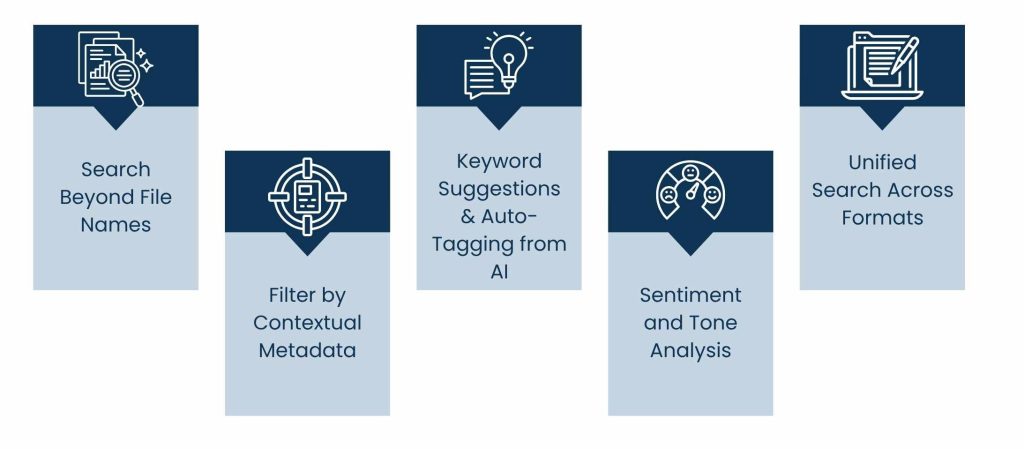
1. Search Beyond File Names
Today’s platforms enable users to search the entire content of documents, not just file names or tags. If you search for a phrase in a contract or a keyword on a scanned invoice, modern software records management systems index the entire document to support deep search. This would cut down wasted time and be more productive.
2. Filter by Contextual Metadata
Users can save hours by filtering searches through metadata like document type, author, or creation date. With smart metadata fields, it’s easy to quickly filter and find the right files, especially helpful for busy teams who manage large volumes of content in SharePoint.
3. Keyword Suggestions & Auto-Tagging from AI
Some even offer search-term suggestions or auto-tag documents by content. Through natural language processing (NLP), AI functionality in records management software is even able to capture key terms or entities to facilitate document retrieval, minus the manual effort.
4. Sentiment and Tone Analysis
In specialized use cases, such as customer service or legal, systems can analyze the tone or sentiment expressed in documents. This aids users in pinpointing complaints, disputes, or particular emotional language within written documentation.
5. Unified Search Across Formats
Whether it’s an electronic report or scanned paper that includes OCR, the search covers not only digital records but also physical documents. This makes everything in your archive easily available, regardless of how or when it was added.
Physical Records Will Remain Significant
Physical records may still form the backbone of important business processes across various industries, despite the move towards digital transformation. When the time comes to a decision-making point in the process, a signature is required, even though some amount of the agreement has been exchanged electronically. Rather than retire these formats, though, contemporary records management software is walking a line of being smarter about how it treats them, just like it manages digital records.
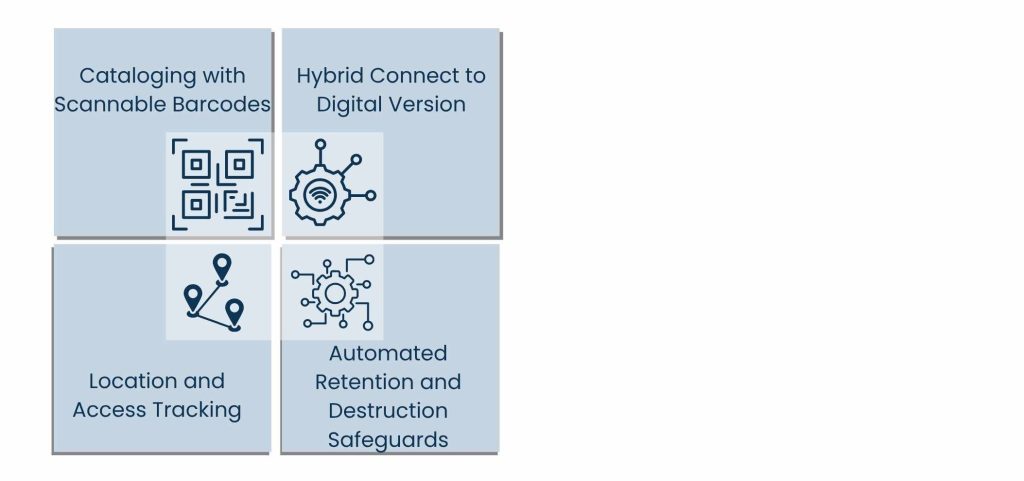
1. Cataloging with Scannable Barcodes
Systems today even let organizations tag their hardcopy files with barcodes or RFID codes of their own. When you scan the above identifiers are fed into the software to make a digital record of the paper. LinguisticExplorer defaults to record-level counting so that you can be confident that every paper record is captured, without the nightmare of manual tracking or spreadsheets.
2. Location and Access Tracking
Once digitized, hard-copy files can be monitored just as digital files can. Hard Copy Records Management Software keeps track of where any document is, who checked it out, and when it was removed or returned to the file room. This visibility reduces loss and drives internal accountability.
3. Hybrid Connect to Digital Version
If there’s a digital scan, it can be associated with the physical record on the same system. What allows instant use of both types of files in one location? From viewing a contract to viewing its signed hard copy, all data is consolidated through one record management system.
4. Automated Retention and Destruction Safeguards
AI tools now handle the scheduled disposal of outdated records based on legal and compliance timelines. The applications schedule review, assign a retention period, and securely shred when necessary. This helps to be in line with data regulations and with minimal manual effort.
Also Read: Role of Technical Project Management
What Will Your Business Do Next?
Records management technology is evolving rapidly. And keeping up with this new era, businesses need to reimagine how they access and secure digital and paper records. To remain competitive and compliant in 2025, following are the key areas to focus on.
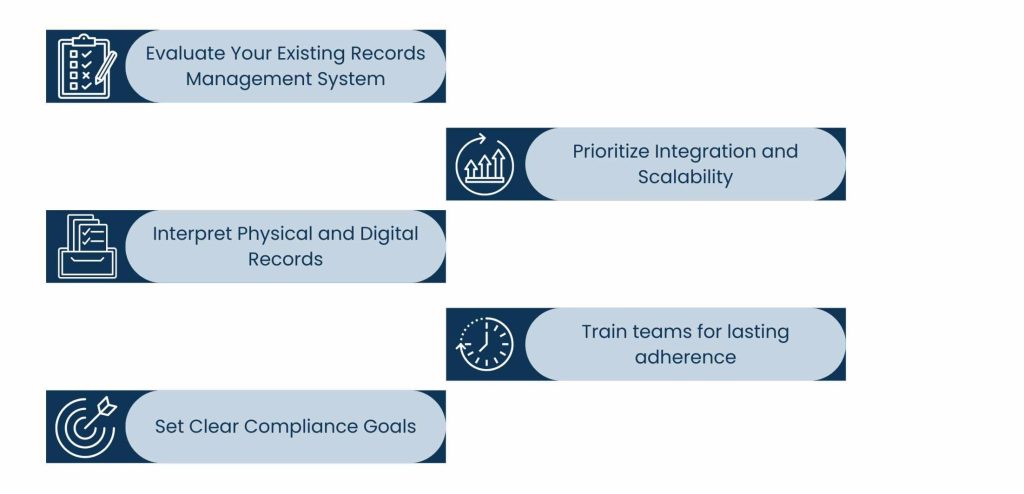
1. Evaluate Your Existing Records Management System
Begin by examining your current storage, access, and safeguard procedures and practices for records. Find out which of its systems covers everything thoroughly to reduce risks in all aspects of production. Compiling an Inventory of Your Records. Before you select the right software records management solution, it is important to know what is in your current collection.
2. Interpret Physical and Digital Records
Don’t overlook physical archives. Even if you are digitizing, chances are you and your company still keep some important paper records. A common approach to records management also addresses managing and processing physical documents with a similar emphasis as digital documents by utilizing barcodes, cataloging, and lifecycle rules.
3. Set Clear Compliance Goals
Different industries have different regulations. Whether you need to comply with HIPAA or financial recordkeeping rules, verify your new system complies with appropriate industry standards. Select a records management software that provides native audit trails and legal hold features, along with automated retention.
4. Prioritize Integration and Scalability
Seek solutions that fit well with the tools you already use, CRMs, ERPs, HR systems, etc. You’ll also need software that can accommodate your organization as it scales: serving more staff than a small, new organization would and doing so largely without interruption in workflow and without necessitating a full migration later.
5. Train teams for lasting adherence
Even the best technology won’t be effective if people don’t know how to use it. It’s important to ensure everyone is properly onboarded and trained, so they can use the platform with confidence and follow retention policies correctly.
Conclusion: Smarter Records Management for a Smarter Future
And as we venture further into 2025, it’s undeniable that records management software is much more than a place to keep your digital files; it’s nearing necessity-level in terms of business infrastructure. Equipped with automation, AI-enhanced search, hybrid physical-digital file management, and integrated compliance capabilities, these tools are changing how organisations govern, secure, and use their records.
The transformation of software records management mirrors a larger move in business values: away from merely putting information away and towards utilizing it intelligently. Organizations that embrace modern
Record management solutions get more than convenience; they get transparency, traceability, and competitive agility.
Always use a secure system while handling your important files, including personnel records, your collection of ebooks, unpublished magazine articles, and system backups.
Putting your money down today will benefit your organization and help you remain compliant, organized, and future-proof. Because in a data-driven world, how you handle your records is how you do your business.
About Us
Tasks Expert offers top-tier virtual assistant services from highly skilled professionals based in India. Our VAs handle a wide range of tasks, from part time personal assistant to specialized services like remote it support services, professional bookkeeping service etc. Furthermore, it helps businesses worldwide streamline operations and boost productivity.
Ready to elevate your business? Book a Call and let Tasks Expert take care of the rest.

About Author

Gary Katz
Related Blogs