




Introduction
Managing tasks with a remote team or virtual assistant may quickly become overwhelming without any planning. This is where virtual assistant project management software is useful. Project management solutions offer an organized framework for task delegation, progress tracking, deadline setting, and efficient communication without the chaos of email overload.
As more companies turn to virtual assistants for administrative, creative, and technical support, project management solutions have become the foundation of productivity. You can easily grow your company and enhance responsibility, transparency, and efficiency by selecting the appropriate solution. Here, we will discuss the leading tools, their distinct advantages, and how they are integrated well with your VA’s daily routine.
Why Project Management Tools Are Necessary for Virtual Assistants?
Working with a VA is not merely the act of outsourcing; it is the act of creating a framework in which duties are well-defined and outcomes measurable. Without using proper tools, communication gaps and lost deadlines are near certainty.
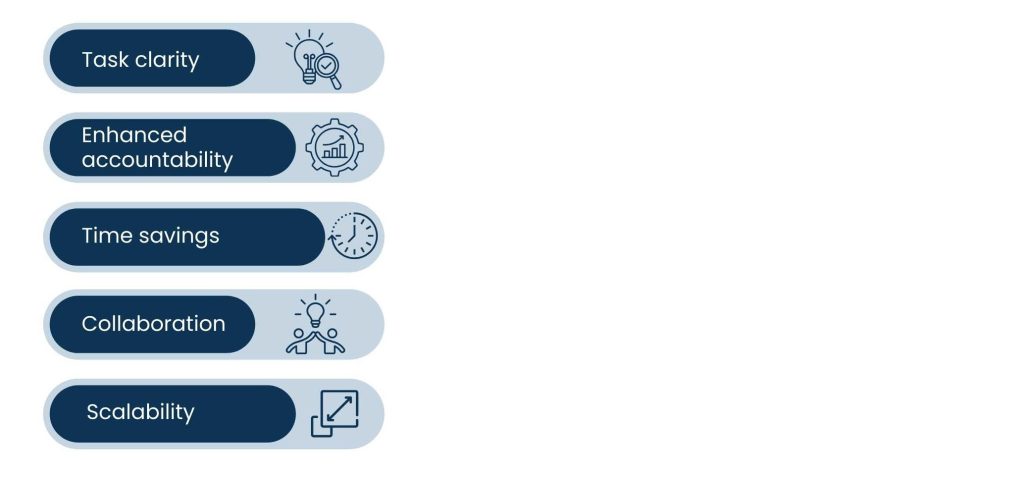
Advantages of Employing Project Management Tools with VAs:
Task clarity:
All tasks are assigned, ranked, and recorded to keep every task transparent. This prevents repetition and guarantees that tasks are completed on a priority basis. You may promptly assess progress, and your VA is always aware of the precise requirements.
Enhanced accountability:
Deadlines and progress reports are transparent to both you and your VA. You can easily track performance and follow up if anything is behind schedule. This also motivates your VA to own their work.
Time savings:
Automations within most project management applications eliminate repetitive work such as sending reminders or updating task status. This saves you and your VA time to work on more value-oriented tasks. Time and again, it repeats and adds up to improve productivity.
Collaboration:
The ability to talk, provide comments, and share files eliminates the need for numerous email exchanges. You and your VA can communicate directly within tasks rather than rummaging through inboxes. This enables faster and more coordinated collaboration.
Scalability:
Project management software simplifies the process of adding more clients as your company grows. You can copy workflows, delegate roles, and handle larger projects without compromising on structure. This guarantees that your system grows together with your business.
Also Read: Assistant Bookkeeper Duties
Top Project Management Tools for Virtual Assistants
Selecting the ideal project management application for your virtual assistant is not always easy. Depending on the type of work being done, the size of the team, and the level of cooperation required, every firm has distinct needs. By carefully weighing aspects like task complexity, integrations, and pricing, you can choose a platform that will not only benefit your virtual assistant but also help your company run more smoothly daily.

1. Trello – Simple and Visual Workflow Management
Trello is a great option for single or double VAs working with small teams and solo entrepreneurs. Its Kanban board configuration offers a visible means of viewing tasks and keeping things uncomplicated. The drag-and-drop feature makes it perfect for people who prefer to see progress visually without any extra complication.
- Using drag-and-drop task cards to identify tasks as to-do, in-progress, and completed work simplifies job flow management.
- Simplified collaboration with comments, checklists, and deadlines, so VAs always understand what comes next.
- Features integration with tools such as Slack and Google Drive, so it is a lightweight but integrated system.
2. Asana – In-depth Task & Subtask Tracking
Asana performs admirably when your VA is working on multiple projects at once. The tasks are broken down into subtasks, ensuring nothing is missed. Moreover, its user-friendly layout makes it easy to prioritize and monitor the status of several projects.
- Organizing things by supporting project overviews with tasks, subtasks, and dependencies.
- Calendar and timeline views for planning the project, making deadlines more visual and actionable.
- Pre-built reminders and workload distribution ensure that tasks don’t accumulate with one individual.
3. ClickUp – All-in-One Work Hub
ClickUp integrates task management with docs, objectives, and chat, making it a single center for task tracking as well as documentation. If you require your VA to have everything in one place, from daily administration to reporting, this is ideal. You can tailor workflows to your business because of their adaptability.
- Customizable KPI dashboards and progress tracking, so you can make performance trackable.
- Recurring VA task templates that save setup time and guarantee consistency.
- Provides time tracking and automation, providing insights into how time is spent.
4. Monday.com – Versatile Team Collaboration
Monday.com offers colorful, customizable boards that can be easily configured to suit various workflows. It is especially helpful to teams that require both visuals and data in moderation. VAs can have recurring tasks here while the automations take care of updates, minimizing efforts.
- Recurring task setup for VAs completing daily admin tasks, keeping routine tasks structured.
- Automation for repetitive updates, so you don’t spend time on status changes.
- Visual dashboards to monitor several projects simultaneously, providing you with a clear overview of progress.
5. Notion – Ideal for Documentation & Research
Notion is perfect when your VA handles content creation, SOPs, or research. It transcends task management by enabling you to create knowledge libraries and shared databases. It is an all-in-one solution for documentation and work administration, followed by some setup.
- It is perfect for multitasking since it unifies databases, tasks, and notes into a single workspace.
- Easy to build shared libraries of resources and checklists that your VA can update.
- Highly customizable but may require setup, which is worth it for long-term scalability.
Also Read: Marketing Campaign Strategy
How to Choose the Right Project Management Tool for Your VA?
With all the project management tools on hand, it is daunting to choose the best one. The most important thing is to think about your VA’s function and the purpose you wish to serve. A product ideal for creative work might not be suitable for finance or administration, so feature alignment is crucial.

1. For Administrative Virtual Assistants
Administrative VAs appreciate tools that leave recurring workflows and calendars in plain sight. Trello and Asana are both great options because they provide seamless creation of email, calendar, and report workflows. They provide transparency and simplicity to everyday admin work.
- Trello or Asana for task management and recurring workflows, allowing smooth day-to-day running.
- Simple to delegate inbox management, scheduling, and report preparation with deadlines and reminders.
2. For Marketing Virtual Assistants
Marketing demands alignment of several campaigns, channels, and timelines. Tools such as ClickUp and Monday.com are optimal here since they are able to handle intricate projects and provide team collaboration. They also connect to social media and content tools for the sake of smoother workflows.
- ClickUp or Monday.com for campaign tracking, so each activity is traceable.
- Social media calendars, blog schedules, and ad campaigns can be managed by VAs at a glance.
3. For Bookkeeping & Finance Virtual Assistants
Finance VAs deal with recurring cycles, so tools that enable monthly or quarterly task tracking are suitable. Asana and ClickUp offer structure for deadlines, reconciliations, and reporting. They also integrate with accounting software to ensure financial records are up to date.
- Asana or ClickUp for monthly task cycles to keep financial workflows intact.
- Tracks expenses to avoid anything falling through the cracks and assigns deadlines for reconciliations and reports.
- Streamlines financial management by working with accounting software such as QuickBooks.
4. For Creative Virtual Assistants
Creative VAs typically handle design briefs, design updates, and content pipelines. Notion and Trello are both great here, as they provide visual and adaptable means to organize content workflows. Shared boards can easily be used to collaborate on ideas, revisions, and approvals.
- Notion or Trello for design briefs and content pipelines that enable creative flexibility.
- Shared boards facilitate gathering feedback and revisions without mess.
Conclusion
The appropriate project management tools for virtual assistants can revolutionize your work. Simple task boards in Trello or top-notch all-in-one platforms like ClickUp can fill the gap between you and your VA so that each project can run well.
At Tasks Expert, we’ve witnessed the benefits first-hand of employing disciplined tools to enhance task management while deepening trust between virtual assistants and their clients. With the right platform, you’re setting up your VA to thrive—and enabling your business to grow without anxiety.
Frequently Asked Questions
Depending on the VA’s job, different tools are better. Trello works well for tracking simple tasks, but Asana, ClickUp, or Monday.com are better for complicated projects.
Not necessarily. Trello and Asana both have freemium versions with basic features. Paid subscriptions include more advanced automation, reporting, and connectors.
Yes. Most of them include interfaces with CRMs, Slack, QuickBooks, and Google Workspace, allowing VAs to operate more efficiently.
They put deadlines, task responsibility, and progress tracking in sight—minimizing the likelihood of lost work.
They are great for scaling with numerous VAs because ClickUp and Asana have well-organized workflows and reporting features.
About Us
Tasks Expert offers top-tier virtual assistant services from highly skilled professionals based in India. Our VAs handle a wide range of tasks, from part time personal assistant to specialized services like remote it support services, professional bookkeeping service etc. Furthermore, it helps businesses worldwide streamline operations and boost productivity.
Ready to elevate your business? Book a Call and let Tasks Expert take care of the rest.

About Author