





Introduction
Virtual assistants don’t just rely on skills. They rely on systems. That’s why choosing the right apps for VA workflows plays a major role in how efficiently tasks are completed. From managing deadlines to communicating with clients and tracking performance, apps create structure, reduce errors, and keep everything transparent.
When VAs work with the right tools, businesses see faster turnaround times, better reporting, and fewer follow-ups. Whether you hire a general VA, a specialist, or a premium virtual personal assistant, the app stack they use determines how smoothly work flows across time zones and teams.
This guide covers the most important app categories virtual assistants use daily and how they support consistent delivery.
The Importance of the Right Apps in VA Workflows
The direct effect of using the appropriate apps for VA workflows is that it affects speed, accuracy, and accountability.
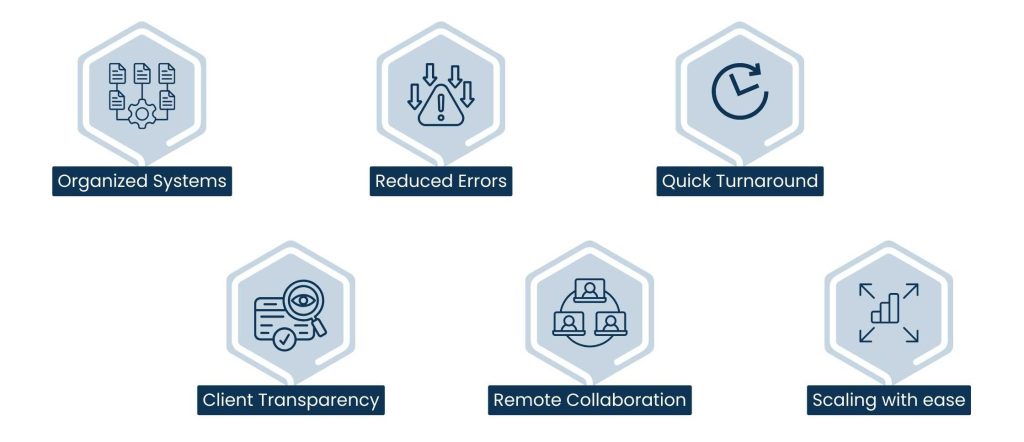
- Organized Systems: Apps will substitute the haphazard emails with obvious ownership of tasks.
- Reduced Errors: With centralized tools, instructions and updates are in view.
- Quick Turnaround: The use of automation and reminders accelerates implementation.
- Client Transparency: Progress is demonstrated through shared tools and is not micromanaged.
- Remote Collaboration: Teams remain on track even without being on the same time zone.
- Scaling with ease: Systems scale without disruption of work.
The appropriate apps are used to streamline VA workflows into effective, dependable, and transparent workflows, which make sure that tasks are completed correctly, in time, and at scale, without needing supervision at all times.
Also Read: Data Migration Tools
The VA Work Organization Apps that are Task- and Work-oriented
The most important part of the workflow of any virtual assistant is a task management tool, which does not allow something to fall through the cracks.

Common Task Management Apps:
- Trello: Visual boards and cards simplify the process of tracking the tasks and seeing the status and controlling daily workflow.
- Asana: Plan timetabled projects having dependencies, timeframes, tasks, and notices.
- ClickUp: Tasks, Docs, Timelines, and Reporting. End-to-end project management.
- Purpose: Have task lists, SOPs, notes and dashboards in one location, ordered.
These tools assist VAs deal with repetitive tasks, priorities as well as long-term projects effectively and in most cases in line with business service structures to deliver clear deliverables.
Communications Applications that Support Smooth Cooperation
Effective communication brings virtual teams on track particularly in cross time zones and makes work get done effectively.

Fundamental Apps for VA Work Communication Applications:
- Slack: Chat in real-time and team, client and project channels. Fast changes and exchange of files.
- Microsoft Teams: Integrates meetings, calls, file sharing, and chat to have an organized teamwork.
- Zoom: Video and audio conferencing with clients, training and reviewing performance.
- Google Meet: Easy video calls to quickly check in or make calls remotely with the bare minimum of set up.
- WhatsApp Business: Voice notes, file sharing, and instant messaging to inform and notify clients and send urgent updates.
These applications minimize the spam in emails, enhance respondents, and assist VAs in finding solutions to problems within a short time. Premium assistants usually control channels and sum up meetings to their maximum visibility.
Also Read: Corporate Video Production Companies
File management and Documentation Apps
Virtual assistants process documents, assets, and collective files on a daily basis. Availability, collaboration, and control of versions are achieved by the right tools.

The File Management Applications:
- Google Drive: Files can be shared and collaborated with in real time, on any device, and cloud-stored.
- Dropbox: Team and client reliability, file security, and file handling of large files.
- OneDrive: It is suitable with Microsoft-based organization where there is office integration and version control.
- Notion Docs: This is a centralized system to manage SOPs, notes, and documentation, and is simple to structure and search.
Organized folders and documentation applications ensure files are arranged, can be searched, and are safe and usually adjusted to teamworkflows to be more understandable and efficient.
VAs use automation and Productivity Apps
Automation software aids the virtual assistants to save time, eliminate tedious jobs and concentrate on more meaningful jobs.

Productivity Apps of the Highest Impact:
- Zapier: Organizes data transfer between apps, such as spreadsheets, CRMs, and forms, and removes manual input and redundant work.
- Calendly: Makes booking more simple by automating the process, including the coordination of calendars, and eliminates back and forth emails.
- Clockify: Records time taken on tasks and used to be transparent, report, and properly bill.
Automation also means that VAs are more engaged in decisions rather than the manual entry of data. Companies that apply virtual assistants on the large scale are dependent on these tools to ensure efficiency.
Building Accountability Reporting and Performance Apps
Reporting tools assist companies to quantify the VA output and performance and offer a clear insight and transparency.

Common Reporting Apps:
- Google spreadsheet: Versatile monitoring of tasks, KPIs, and daily entries. VAs can put the progress in real time so that it is easily visible.
- Looker studio: Visual dashboards, which show productivity and performance, allows analysis to be easy and actionable.
- Airtable: Airtable is a spreadsheet repurposed with database capability, enabling workflows and projects that are complicated to manage in a spreadsheet.
- CRM Dashboards: Tracks sales, leads, or support activity done by VAs and holds them accountable and gives measurable outcomes.
- Tableau: A more analytic tool to report and visualize the data to get a deeper insight into the performance trends and make the decision-making process data-based and is not necessary to track the data manually.
With structured reporting, the managers will have complete visibility without the need to micromanage. A lot of companies allow a high-price virtual personal assistant to keep these dashboards in a week.
The Proper selection of Apps for VA Support Apps
Although not all apps are needed–the idea is to be aligned and efficient rather than overloaded.

Important principles of VA Apps selection:
- Match Apps to Tasks: Select tools that are geared towards supporting the work being done rather than the new hype to keep work mechanisms focused.
- Keep the Stack Lean: Less is more; the amount of tools will only slow down the work and make life harder to manage and understand by both the VA and managers.
- Make certain Access: Use applications where you can be transparent and collaborative to build trust and accountability with your clients/stakeholders.
- Scalability of Support: Choose tools that can expand with the team and be able to manage more and more work load or multiple projects without being strained.
- Document Processes: Each tool must have a defined SOP to enable VAs to complete similar steps and have reliable and predictable results.
Training VA quickly, however, the performance is uniform, efficient, and measurable with the appropriate apps, errors are minimized, and the outcomes are improved.
Conclusion
Tools are very important to the effectiveness of a virtual assistant. The correct apps for VA workflow applications introduce organization, expediency and transparency in operations, communication and reporting. Applied to the business purposes, VAs produce a better quality of work with minimal errors and quick turnover.
With the combination of talented virtual assistants and the appropriate app stack, and optional assistance of a high-end assistant, businesses create systems whose performance expands seamlessly and efficiently on a daily basis.
Frequently Asked Questions
They are apps that virtual assistants can utilize in order to organize tasks, communication, files, automation, and reporting.
No. The usage of apps is relative to the type of task, industry, and preferences of clients.
Yes. The majority of VAs align with the already existing tools by the business.
Absolutely. The appropriate tools decrease errors and enhance turnaround time.
Yes. They usually deal with configuration, reporting and optimization of processes.
About Us
Tasks Expert offers top-tier virtual assistant services from highly skilled professionals based in India. Our VAs handle a wide range of tasks, from part time personal assistant to specialized services like remote it support services, professional bookkeeping service etc. Furthermore, it helps businesses worldwide streamline operations and boost productivity.
Ready to elevate your business? Book a Call and let Tasks Expert take care of the rest.

About Author

Gary Katz
Related Blogs